API Reference
v1.0.0Introduction
Welcome to the Qwilr Public API documentation. With our API you'll be able to generate Qwilr Pages programmatically. This means you can generate custom quotes, create pages when someone fills out a form, or anything else.
Our API is organized around REST. All calls made are to your live account.
If you're looking for help with the Qwilr app you can find that in our help documentation.
If you have any questions about our API, please get in touch at help@qwilr.com.
Getting started?Check out our to walk through the process of getting set up
https://api.qwilr.com/v1
Authentication
bearerAuth
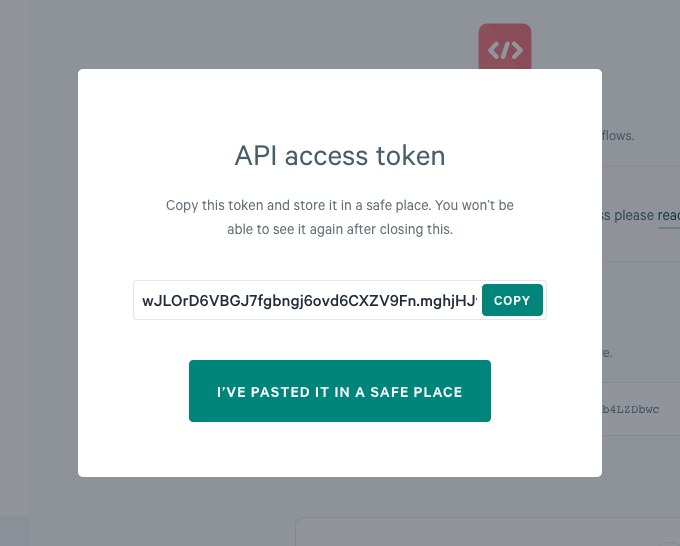
All API requests need to be authenticated with your account's access token. You can find your access token in the Qwilr API Settings.
Your access token allows anyone to access your Qwilr pages and account. Be sure to keep it secret! Do not share your access tokens in any public spaces such as your source repository client-side code, and so forth.
When making a request:
- Use your access token with bearer authentication in the headers.
For example:
Authorization: Bearer fakeaccesstoken - Send all requests over HTTPS
| Security Scheme Type | http |
| HTTP Authorization Scheme | bearer |
| Bearer format | JWT |
Pages
A page object is a page in the Qwilr app. With the API you can list your pages, and you can create, read and update a page by sending a JSON object.
List pages
Returns the pages in your account, with the newest page first. The endpoint returns the pages in sets, and gives you a cursor for the next set. It returns only the pages that the owner of the access token can see. It never returns deleted pages. It does not return archived pages, unless you pass tags=archived.
Each result is a summary of a page, not a full page. A summary has no blocks, acceptance data or payment settings. to read those fields.
To read every page in your account, send the nextCursor value from your last response as the cursor parameter, and keep all of the other parameters the same. Repeat this until nextCursor is null.
Path parameters
- limitintegerDefault:
The maximum number of pages in each set of results. Default is
25.25 - cursorstring
The cursor that points to the next set of results. Use the
nextCursorvalue from your last response. Omit this parameter to get the first set of results. The API rejects a cursor that is not valid, or a cursor from a response that used a differentsortDirection, with a400. - statusarray of enums
Returns only the pages that have one of these statuses. Give the statuses as a comma-separated list.
draftselects the pages that you have not published.liveandacceptingare exclusive:livedoes not select a page that isaccepting."draft""live""accepting""accepted""disabled""declined" - tagsarray of strings
Returns only the pages that have all of these tags. Give the tags as a comma-separated list. Tags are case-sensitive. An archived page has the
archivedtag, sotags=archivedreturns your archived pages and only those pages. - folderIdstring^[a-z0-9]{24}$
Returns only the pages that are directly inside this folder. The endpoint does not search sub-folders. Omit this parameter to return the pages in all folders.
- ownerIdstring^[a-z0-9]{24}$
Returns only the pages that this user owns.
- sortDirectionenumDefault:
Sorts the results by the time each page was created.
descputs the newest page first, andascputs the oldest page first. Default isdesc.desc"asc""desc" - expandarray of enums
Adds more fields to each page in the results. Give the field names as a comma-separated list.
"metadata"
Responses
Create a page
Creates a page from saved blocks or template.
Authorizations
bearerAuthAttributes
- blocksRequiredarray of objects
- namestring
Title of the page, visible as the browser page title.
- publishedboolean
Whether the page is publically available;
falsemeans the page will be in Draft status. Default isfalse. - substitutionsobject
Mapping of variable API reference keys to substitution values used throughout the page. The values can be overwritten if the same keys are defined in the block-level substitutions.
- metadataobject
Data you provide, that will be returned as part of all Webhooks.
- tagsarray of strings
The tags for your page. Tags are case-sensitive.
- ownerIdstring(Id) ^[a-z0-9]{24}$
ID of the user that should own the page. If not specified, the owner of the access token will be the owner of the page.
- expiryobject
The link expiry settings for the page. When you enable expiry, the link of the page stops working after the number of days that you set, and the status of the page becomes
declined. The count of days starts when you publish the page. A draft page keeps the setting until you publish it.
Responses
{ "blocks": [ { "id": "uCHq6B6_S1EqZ2pyam8YVfUldvoF-Q", "foldable": { "enabled": true, "isFolded": true, "label": "string" }, "splashSettings": { "imageUrl": "https://images.unsplash.com/photo-1530281700549-e82e7bf110d6" }, "acceptSettings": { "postAcceptance": { "enabled": true, "url": "string", "continueLabel": "string" } }, "quoteSettings": { "selectionType": "single", "selectionRequired": true, "currency": "USD", "showTotalDiscount": true, "showTaxTotals": true, "showTotalExcludingTax": true, "quoteDiscount": { "type": "fixed", "amount": 0 }, "taxIds": [ "gst" ] }, "quoteSections": [ { "displayMode": "table", "itemSingleSelect": true, "description": "string", "lineItems": [ { "type": "fixedCost", "description": "string", "unitPrice": 0, "unitLabel": "string", "quantity": 0, "quantityRange": { "min": 0, "max": 0 }, "taxExempt": true, "optional": true, "selected": true, "lineItemDiscount": { "type": "fixed", "amount": 0 }, "billingSchedule": "one-off", "recommended": true, "featuresList": [ "string" ], "metadata": {} } ], "settings": { "showSubtotal": true, "showUnitPrice": true, "showQuantity": true, "showCost": true, "selected": true, "selectionRequired": true, "sectionDiscount": { "type": "fixed", "amount": 0 }, "showFeatures": true, "groupItemsByBillingSchedule": true }, "metadata": {} } ], "substitutions": { "block_variable_key": "Example value", "repeating_variable_key": [ { "item_property": "value1" }, { "item_property": "value2" } ] } } ], "name": "string", "published": true, "substitutions": { "page_variable_key": "Example value", "repeating_variable_key": [ { "item_property": "value1" }, { "item_property": "value2" } ] }, "metadata": {}, "tags": [ "string" ], "ownerId": "6ee0f841f3cc8900090d82dc", "expiry": { "enabled": true }}
Get a page
Returns one page, with all of its fields. To get many pages at the same time, use .
Path parameters
- pageIdRequiredstring(Id) ^[a-z0-9]{24}$
The ID of the page to get.
- expandarray of enums
Adds more fields to the page in the response. Give the field names as a comma-separated list.
"metadata""acceptance""previewAcceptance"
Responses
Update page
Updates the published field of the page, its link expiry settings and its Qwilr Pay paymentSettings. Supplying blocks performs a full content replacement of the page from saved blocks (the page keeps its id and links); only pages created via the saved-block method are supported. Supplying folderId moves the page to that folder. The move runs before the other changes. If a later change fails, the page stays in the new folder. To move an accepted or disabled page, send folderId with no other field except skipIfTemplateDefaultFolder.
Authorizations
bearerAuthPath parameters
- pageIdRequiredstring(Id) ^[a-z0-9]{24}$
The ID of the page to update.
Attributes
- publishedboolean
- expiryobject
The link expiry settings for the page. When you enable expiry, the link of the page stops working after the number of days that you set, and the status of the page becomes
declined. The count of days starts when you publish the page. A draft page keeps the setting until you publish it. - paymentSettingsobject
The changes to make to the Qwilr Pay settings of the page. All of the fields are optional, and the endpoint does not change a field that you omit. To switch payments on, send
enabled: true. The page then needs a gateway, so sendgatewayId, or omit it to use the default gateway of your account. Note: if you switch payments on for a page that has no gateway, the endpoint replaces all of the payment settings with the defaults of your account. It does not merge your values into them. - substitutionsobject
Mapping of variable API reference keys to substitution values used throughout the page. The values can be overwritten if the same keys are defined in the block-level substitutions.
- blocksarray of objects
Saved blocks to replace the page's content with. When supplied, the page's existing content is fully replaced with these blocks. At least one block must be provided.
- folderIdstring^[a-z0-9]{24}$
The ID of the folder to move the page to. The owner of the access token must be able to view the folder. If the API cannot find the folder, it returns a
404with the typeFolderNotFound. - skipIfTemplateDefaultFolderboolean
Send this field only with
folderId. When it istrueand the template of the page has a default output folder that is the root, or that exists and is notfolderId, the API does not move the page. It returns a409with the typePAGE_USES_TEMPLATE_DEFAULT_FOLDERand applies no other field in the request. A request with onlyfolderIdand this field can move an accepted or disabled page.
Responses
{ "published": true, "expiry": { "enabled": true }, "paymentSettings": { "enabled": true, "gatewayId": "string", "requireOnAccept": true, "discoverable": true, "customBusinessName": "string", "extraInformation": "string", "payLaterButtonText": "string", "partialPaymentConfig": { "enabled": true, "amount": 0, "kind": "fixed" }, "recurringConfig": { "enabled": true, "defaultSettings": { "anchorDate": { "kind": "anchor_preset", "value": "acceptance" }, "startDate": { "kind": "start_preset", "value": "acceptance" }, "endDate": { "kind": "cycles", "value": 0 }, "freeTrialDays": 0, "prorateChanges": true }, "invoiceConfig": { "enabled": true, "daysUntilDue": 0, "paymentMethods": [ "string" ] }, "settings": {} } }, "substitutions": { "page_variable_key": "Example value", "repeating_variable_key": [ { "item_property": "value1" }, { "item_property": "value2" } ] }, "blocks": [ { "id": "uCHq6B6_S1EqZ2pyam8YVfUldvoF-Q", "foldable": { "enabled": true, "isFolded": true, "label": "string" }, "splashSettings": { "imageUrl": "https://images.unsplash.com/photo-1530281700549-e82e7bf110d6" }, "acceptSettings": { "postAcceptance": { "enabled": true, "url": "string", "continueLabel": "string" } }, "quoteSettings": { "selectionType": "single", "selectionRequired": true, "currency": "USD", "showTotalDiscount": true, "showTaxTotals": true, "showTotalExcludingTax": true, "quoteDiscount": { "type": "fixed", "amount": 0 }, "taxIds": [ "gst" ] }, "quoteSections": [ { "displayMode": "table", "itemSingleSelect": true, "description": "string", "lineItems": [ { "type": "fixedCost", "description": "string", "unitPrice": 0, "unitLabel": "string", "quantity": 0, "quantityRange": { "min": 0, "max": 0 }, "taxExempt": true, "optional": true, "selected": true, "lineItemDiscount": { "type": "fixed", "amount": 0 }, "billingSchedule": "one-off", "recommended": true, "featuresList": [ "string" ], "metadata": {} } ], "settings": { "showSubtotal": true, "showUnitPrice": true, "showQuantity": true, "showCost": true, "selected": true, "selectionRequired": true, "sectionDiscount": { "type": "fixed", "amount": 0 }, "showFeatures": true, "groupItemsByBillingSchedule": true }, "metadata": {} } ], "substitutions": { "block_variable_key": "Example value", "repeating_variable_key": [ { "item_property": "value1" }, { "item_property": "value2" } ] } } ], "folderId": "6ee0f841f3cc8900090d82dc", "skipIfTemplateDefaultFolder": false}
Blocks
Block objects correspond to blocks in the Qwilr UI. Pages and templates are composed of a series of blocks. The Qwilr API allows you to get the list of saved blocks from your account.
Get saved blocks
Retrieve a list of saved blocks from your account, with block names. Useful in developer workflow for mapping block names to saved block IDs.
Responses
Taxes
A tax object is a quote tax definition in your Qwilr account. With the API you can create, read, update and delete your taxes, and use their IDs when you build a quote.
List taxes
Returns the quote tax definitions in your account. Each tax has an ID, a name and a rate.
Responses
Create a tax
Creates a quote tax definition in your account. Qwilr generates the id of the tax and returns it in the response. You can also supply your own id, for example an ID from another system. The request body gives the rules for an id that you supply. You cannot change the id after you create the tax. To use a different ID, delete the tax and create a new one. Keep the id from the response, because you use it to refer to the tax in other parts of the API.
Authorizations
bearerAuthAttributes
- idstring^[A-Za-z0-9][A-Za-z0-9_-]{0,63}$
An optional ID for the tax. Supply your own ID, for example an ID from another system, to refer to the tax by a value that you control. If you omit this field, Qwilr generates an ID for you. The ID must be unique in your account. It must have 1 to 64 characters. Use letters, digits,
-and_only, and start with a letter or a digit. You cannot change the ID after you create the tax. To use a different ID, delete the tax and create a new one. - nameRequiredstring
The display name of the tax.
- rateRequirednumberNullable
The rate of the tax, as a percentage. Send
nullto create a tax with no rate.
Responses
{ "id": "gst", "name": "GST", "rate": 10}
Update a tax
Updates a quote tax definition. The endpoint changes only the fields that you supply. You must supply name, rate, or both. You cannot change the id of a tax. To use a different ID, delete the tax and create a new one.
Authorizations
bearerAuthPath parameters
- taxIdRequiredstring
The ID of the tax to update.
Attributes
- namestring
The display name of the tax.
- ratenumberNullable
The rate of the tax, as a percentage. Send
nullto remove the rate.
Responses
The tax has been updated
{ "name": "GST", "rate": 10}
Delete a tax
Deletes a quote tax definition from your account.
Path parameters
- taxIdRequiredstring
The ID of the tax to delete.
Responses
The tax has been deleted
Payment Gateways
A payment gateway object is a Qwilr Pay gateway in your Qwilr account. With
the API you can list your gateways, and use the ID of a gateway as the
gatewayId in the payment settings of a page.
List payment gateways
Returns the Qwilr Pay payment gateways in your account. Each gateway has an ID and a name. Use the id of a gateway as the gatewayId in the payment settings of a page.
Responses
Subscriptions
Webhooks allow you to subscribe and unsubscribe from events on your Qwilr account.
Get a list of all webhook subscriptions
Allows you to retrieve a list of all the webhook subscriptions that you have created using the create webhook subscription endpoint.
Responses
Create a webhook event subscription
Creates a new webhook subscription to an event type. New events will be sent to the defined targetUrl. You should store the id field returned in case you want to cancel the subscription later on.
Authorizations
bearerAuthAttributes
- eventRequiredenum
"pageAccepted""pagePartiallyAccepted""pagePreviewAccepted""pageViewed""pageFirstViewed""pageSetLive""pageRevivedLive" - targetUrlRequiredstring
Responses
Callbacks
{ "event": "pageAccepted", "targetUrl": "string"}
Cancel a webhook event subscription
Cancels a webhook event subscription using the id field that was returned when the webhook subscription was created.
Path parameters
- subscriptionIdRequiredstring
The id returned when your subscription was created
Responses
Unsubscribed
Account
Miscellaneous operations concerning your Qwilr account.
Get users
Retrieve the list of users from your account, with roles and team names. Useful for specifying the ownerId when creating a page.